
API Profiles
Configure custom AI providers with your own API keys. Full control over model selection and cost optimization.Available Providers
| Provider | Model | Context | Best For |
|---|---|---|---|
| OpenRouter | 300+ models | Varies | Unified access to multiple providers |
| GLM | GLM 4.6 | Standard | Cost-optimized bulk tasks |
| Kimi | Kimi K1.5 | 1M tokens | Long document analysis |
| Custom | Any | Varies | OpenAI-compatible endpoints |
OpenRouter (Recommended)
OpenRouter provides access to 300+ AI models through a unified API. CCS v7.0.0 includes first-class OpenRouter support with interactive model picker and tier mapping.Quick Setup
Full OpenRouter Guide
Learn about model selection, tier mapping, and Exacto-optimized models
Quick Start
1. Open Dashboard
2. Add API Profile
Navigate to “API Profiles” tab and add your provider: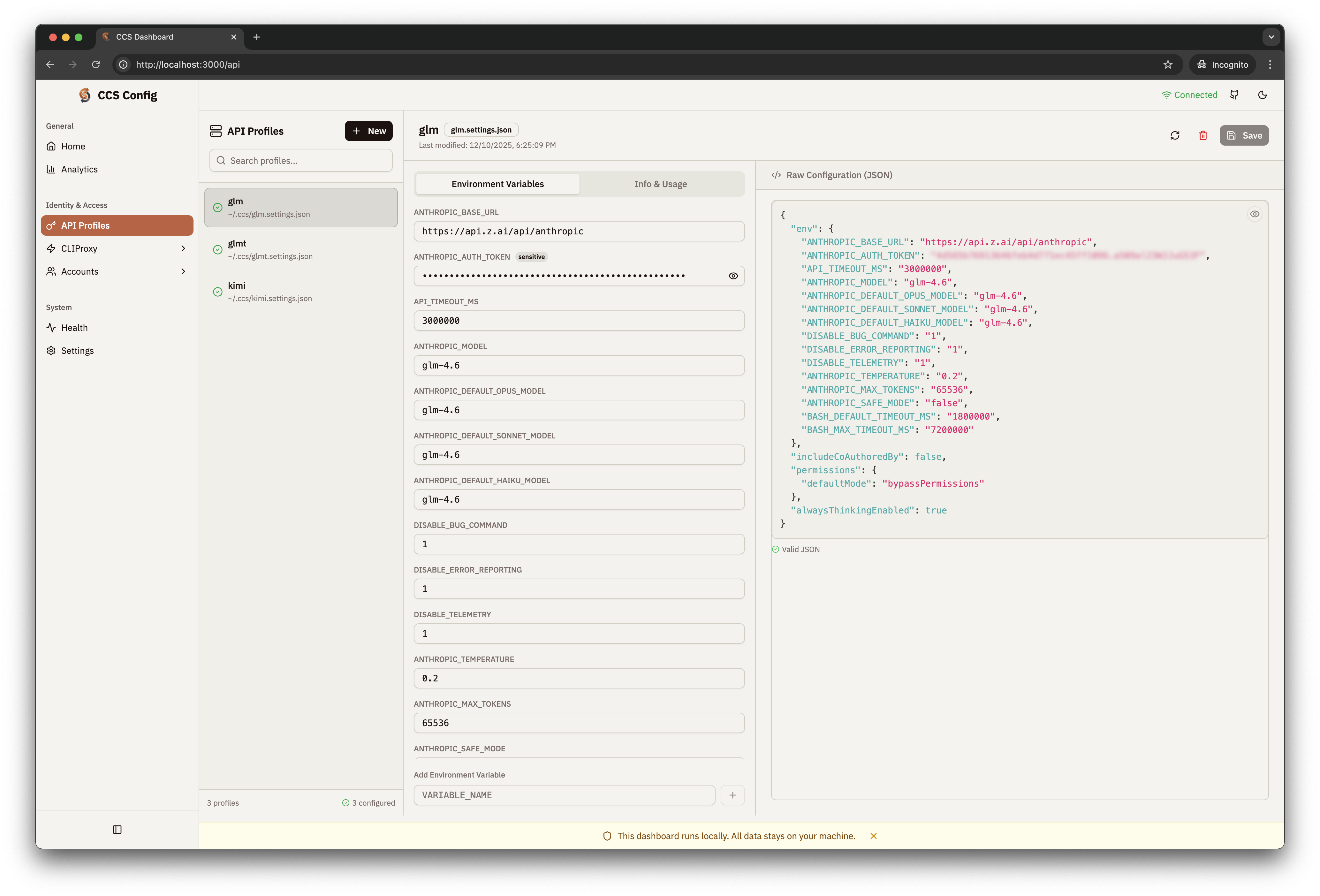
3. Use Profile
Manual Configuration
GLM Profile
Create~/.ccs/glm.settings.json:
Kimi Profile
Create~/.ccs/kimi.settings.json:
Register in Config
Add to~/.ccs/config.json:
Custom OpenAI-Compatible Endpoints
Any OpenAI-compatible API can be configured:Use Cases
Budget Conscious
Use GLM for routine tasks at ~$0.50/1M tokens
Long Documents
Kimi for analyzing large codebases (1M context)
Cost Optimization
Mix Claude (quality) + GLM (volume)
Enterprise
Custom endpoints with your own API keys