
Analytics Dashboard
The Analytics dashboard provides comprehensive visibility into your AI usage patterns, costs, and performance metrics across all configured providers.Overview
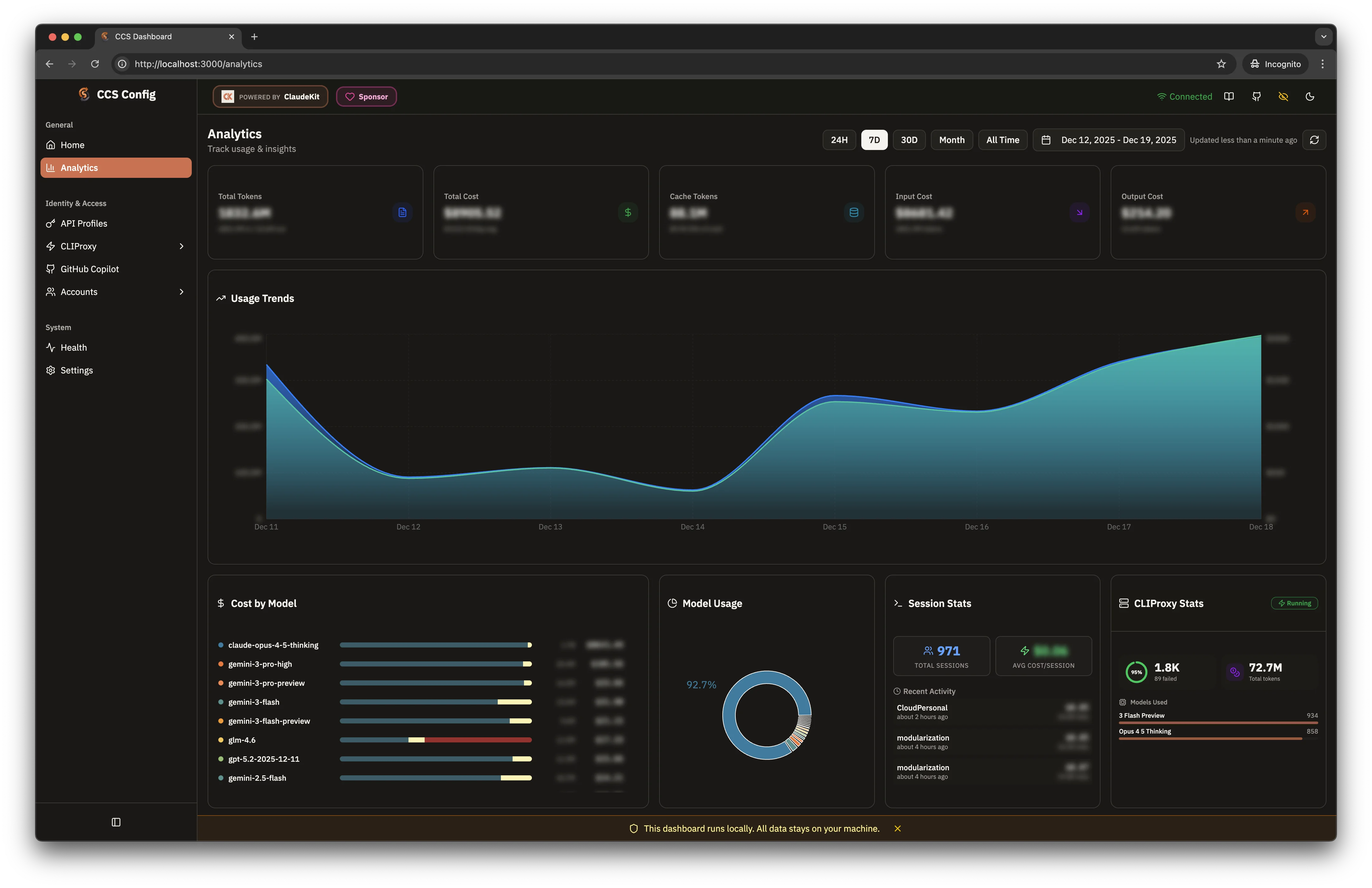
Access analytics through the dashboard:- Dark Theme
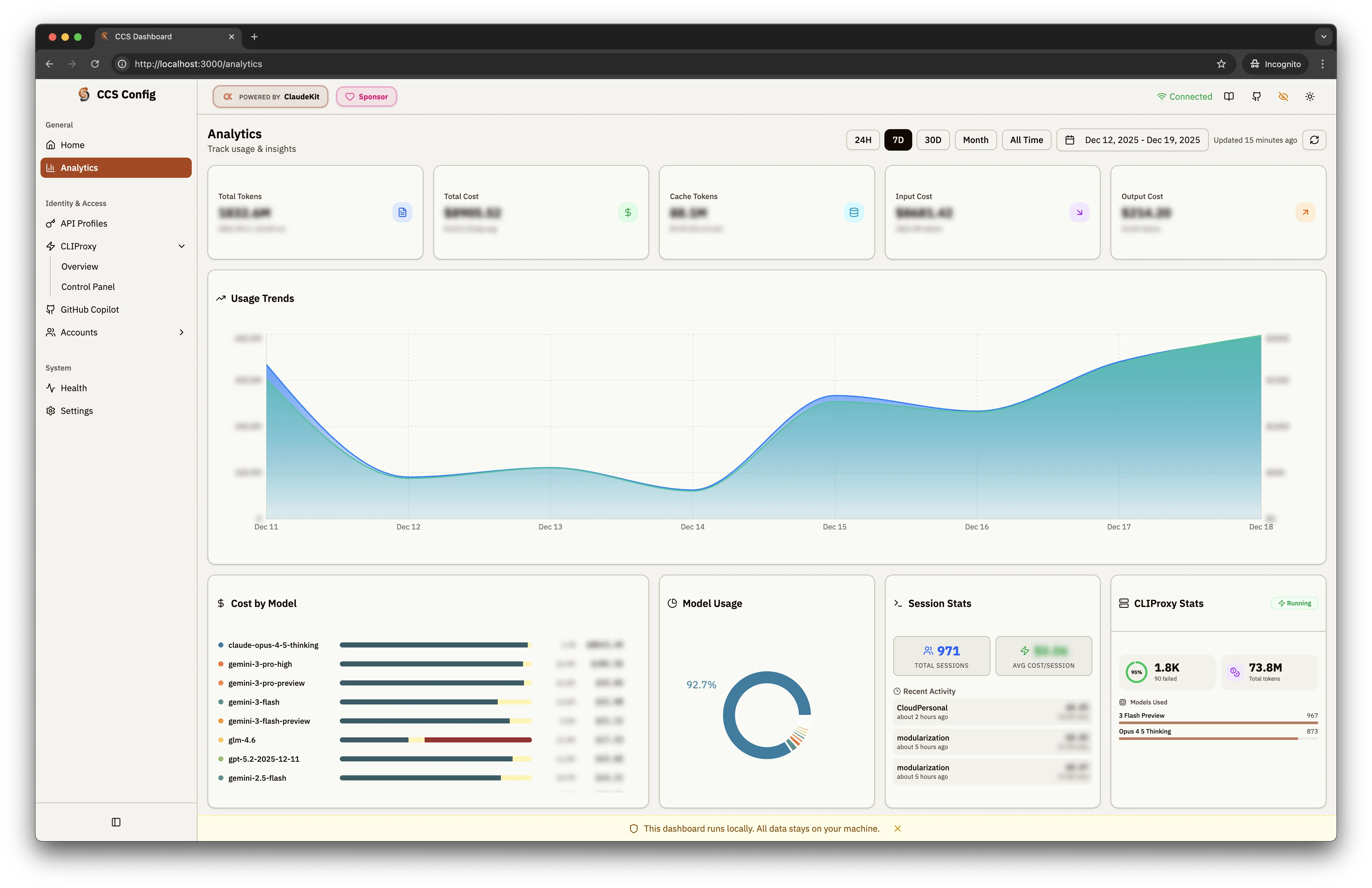
- Light Theme
Key Metrics
Five summary cards display high-level metrics:Total Tokens
Combined input/output tokens across all providers
Total Cost
Aggregate spending across Claude, Gemini, GPT, GLM models
Cache Tokens
Tokens served from cache, reducing API costs
Input/Output Cost
Breakdown of costs by request direction
Dashboard Widgets
Usage Trends
Area chart showing token/cost trends over time with:- Configurable date ranges: 24H, 7D, 30D, Month, All Time
- Custom date picker for specific periods
- Auto-refresh with “Updated X ago” indicator
Cost by Model
Horizontal bar chart breaking down costs per model:- Claude Opus 4.5 Thinking
- Gemini 3 Pro / Flash variants
- GPT 5.2, GLM 4
- Color-coded bars for quick comparison
Model Usage
Donut chart showing distribution of requests across models:- Percentage breakdown by model
- Visual representation of dominant providers
Session Stats
- Total Sessions: Count of coding sessions
- Avg Cost/Session: Average spending per session
- Recent Activity: List of recent sessions with timestamps
CLIProxy Stats
Real-time proxy performance metrics:- Success Rate: Percentage with total/failed counts
- Total Tokens: Aggregate tokens through proxy
- Models Used: Breakdown by model with request counts
Time Range Controls
| Range | Description |
|---|---|
| 24H | Last 24 hours |
| 7D | Last 7 days (default) |
| 30D | Last 30 days |
| Month | Current calendar month |
| All Time | Complete history |
| Custom | Date picker for specific range |
Analytics data is stored locally in
~/.ccs/usage/. No data is sent to external servers.