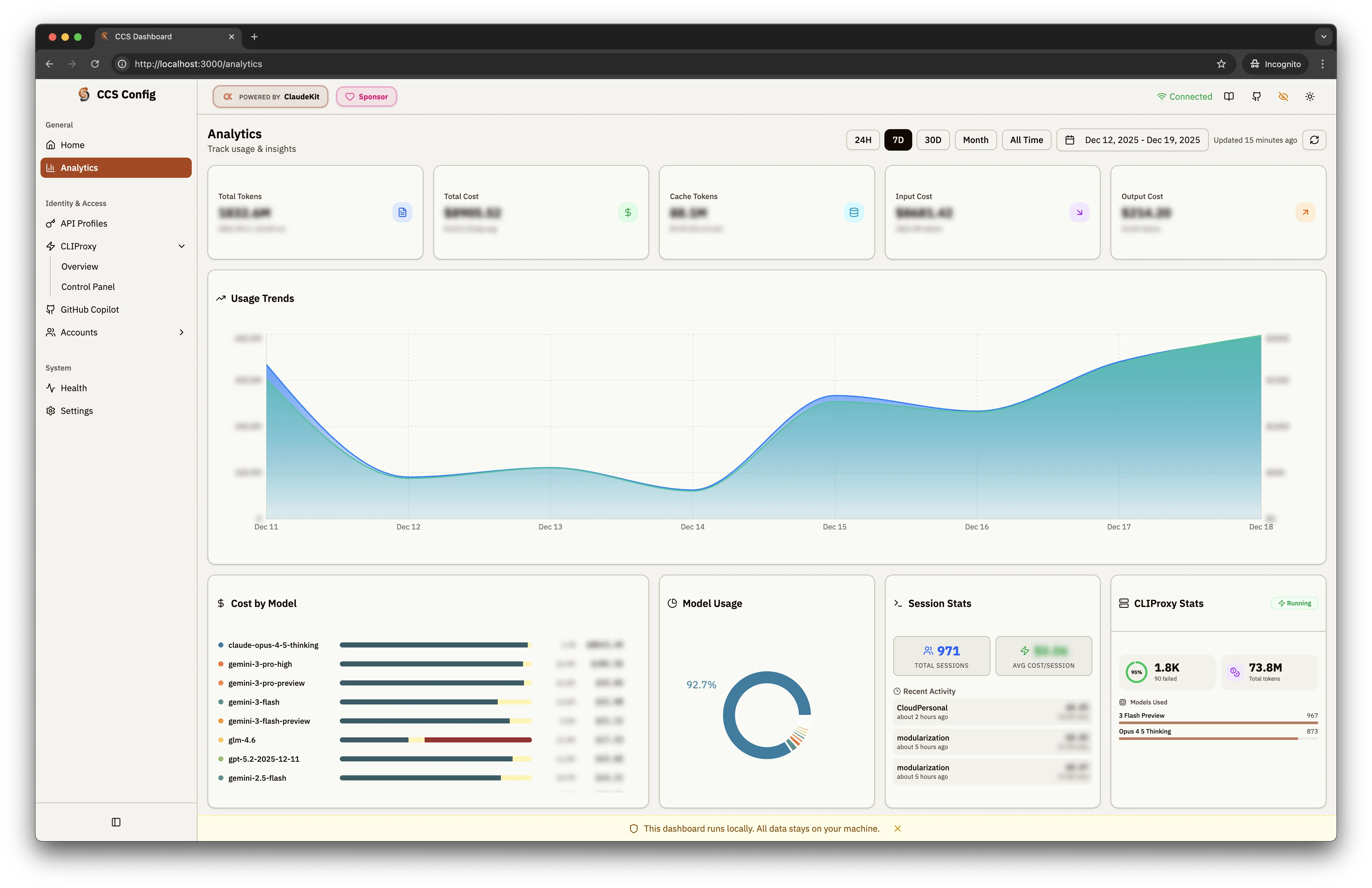
Dashboard
CCS includes a built-in visual dashboard for managing all your accounts, providers, and profiles.Opening the Dashboard
Features
Usage Analytics
Track tokens, costs, and usage patterns across all accounts
Profile Management
Create, edit, delete accounts with visual interface
Health Monitor
Real-time status for all configured providers
Settings
Configure defaults, themes, and sync options
Dashboard Sections
Analytics
View usage statistics across all profiles: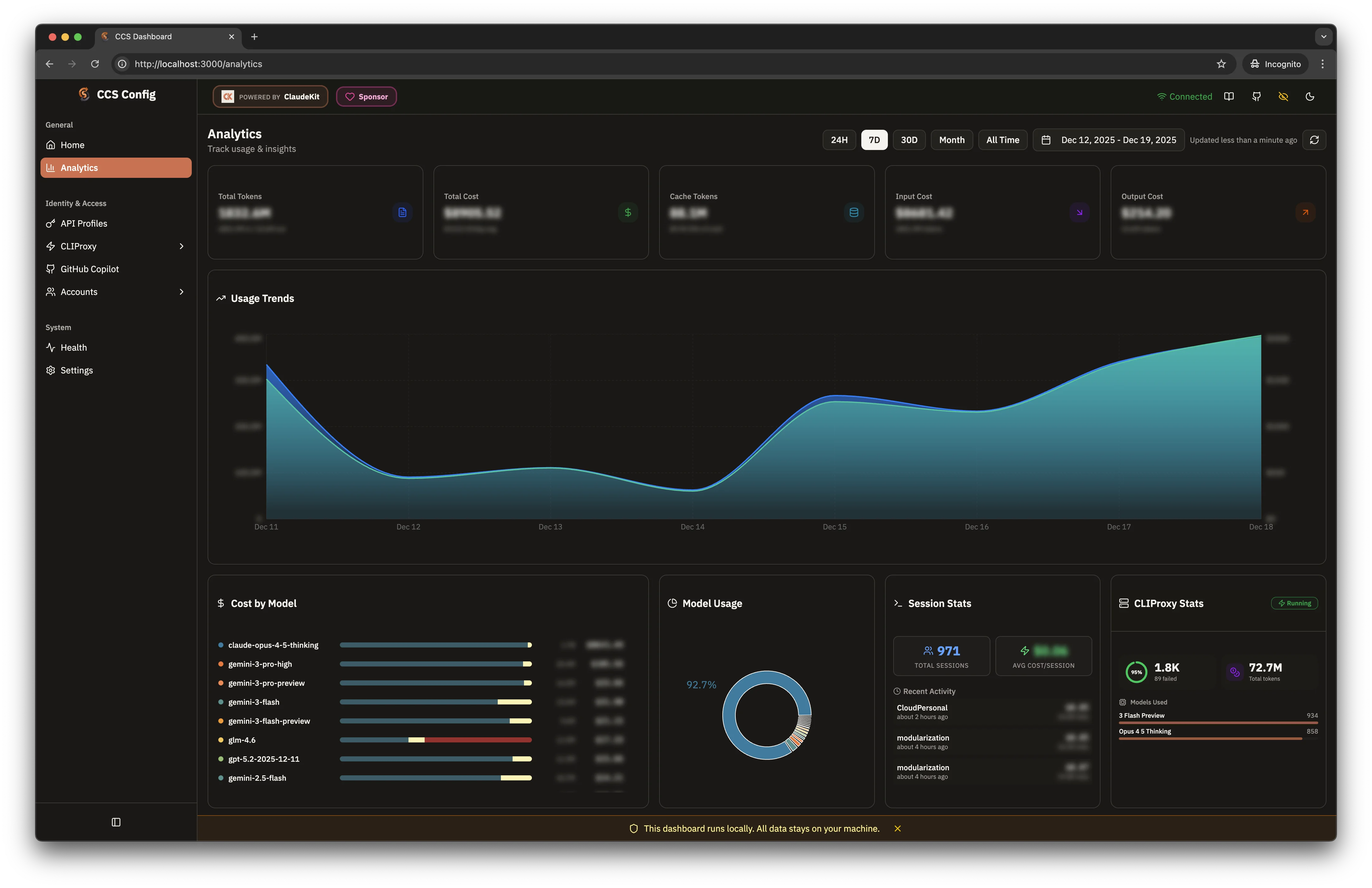
- Token usage over time
- Cost breakdown by provider
- Session counts and durations
See Analytics for detailed documentation.
API Profiles
Configure API-based providers (GLM, Kimi for Coding, Novita, Alibaba Coding Plan, OpenRouter, custom):- Add/edit API keys
- Configure base URLs
- Select default models
- Searchable model pickers for large provider catalogs
- Custom model names in Quick Setup wizard
- Alibaba Coding Plan promo card in recommended presets sidebar
See API Profiles for detailed
documentation.
OAuth Providers
Manage OAuth-based providers (Gemini, Codex, Antigravity, Copilot, Kiro, and more):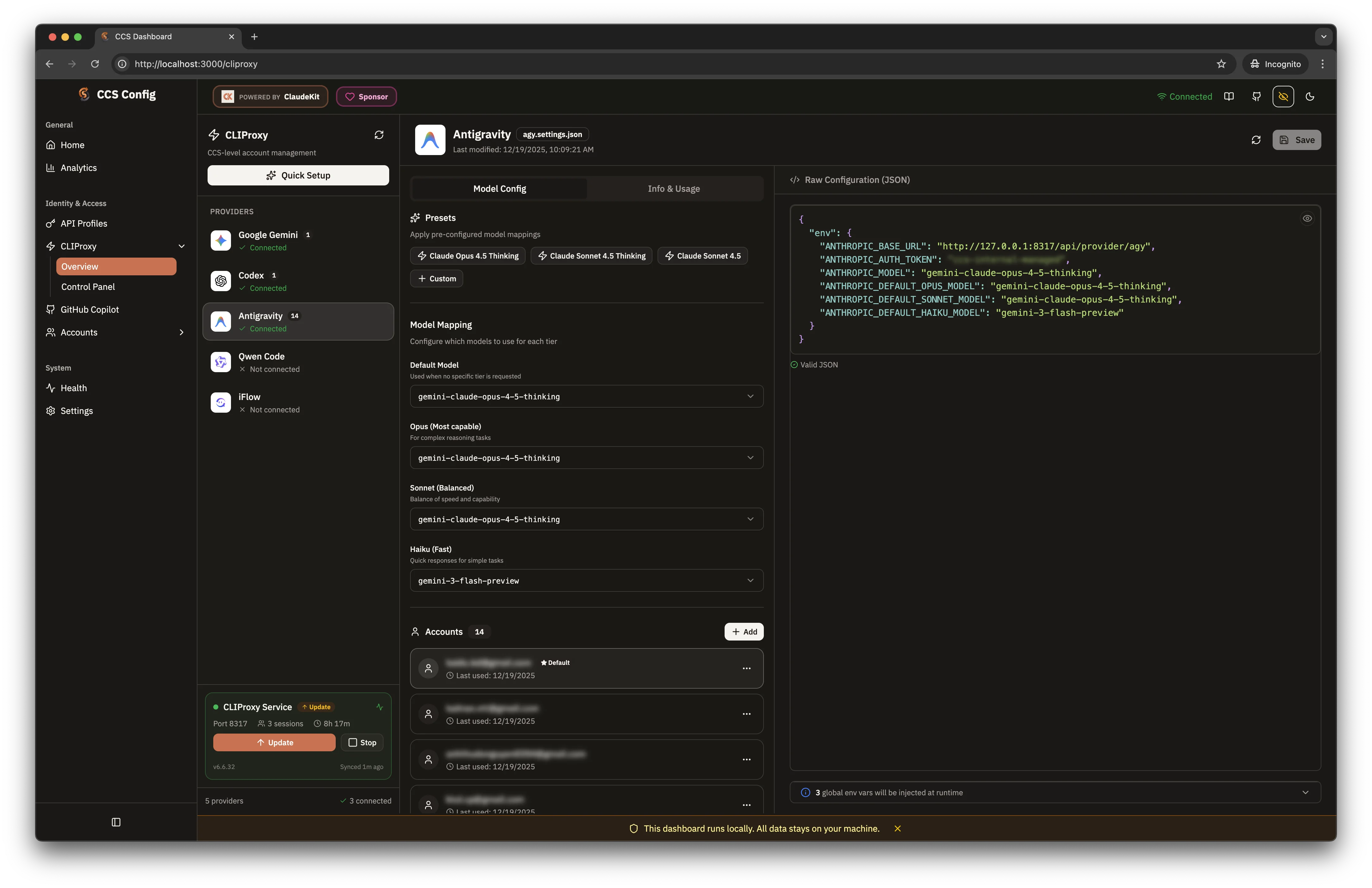
- View authentication status
- Refresh tokens
- Clear cached credentials
- Searchable model pickers in Cursor, Copilot, and CLIProxy-backed flows
- Account tier badges (ultra/pro/free for Antigravity)
- Quota display (Gemini, Codex)
See CLIProxy API and Copilot
API for detailed documentation.
CLIProxy Sync Status
Dashboard displays real-time sync status for profile synchronization: Location: Settings → CLIProxy Sync Features:- Auto-sync toggle (enable/disable)
- Manual sync trigger button
- Watcher status (running/stopped)
- Syncable profile count
- Last sync timestamp
See CLIProxy Sync for detailed documentation.
Account Profiles
Manage Claude account profiles for concurrent sessions:- Create new account profiles
- View logged-in accounts
- Set default profile
- Remove profiles
Claude IDE Extension
Available since v7.53.0
- Resolve any CCS profile to the correct extension environment
- Copy the preferred shared-settings flow (
ccs persist <profile>) - Generate IDE-local JSON snippets for VS Code, Cursor, and Windsurf
- Save reusable bindings and verify/apply/reset them from the dashboard
/claude-extension
See Claude IDE Extension for the full
setup guide.
Shared Data
Available since v7.48.0
- Three tabs: Commands, Skills, Agents
- Search and filter with live results
- Built-in markdown viewer with frontmatter support
- Symlink status monitoring
/shared
See Shared Data for detailed documentation.
Factory Droid
Available since v7.48.0
- Overview: Binary detection, file status, diagnostics (auto-refresh 10s)
- BYOK: Custom model registration, reasoning effort controls, quick settings
- Docs: Factory documentation links and provider references
/droid
See Droid Adapter for detailed
documentation.
Codex Control Center
Available since v7.62.0
- Overview: Binary detection, config file diagnostics, supported flows table, quick command snippets
- Control Center: Guided editors for top-level settings, project trust, profiles, model providers, MCP servers, and feature flags
- Docs: Upstream Codex documentation and CLIProxy provider setup guidance
~/.codex/config.toml). A raw TOML editor is available as an escape hatch. Structured controls are disabled while raw TOML is dirty or invalid.
Location: Sidebar → Compatible → Codex CLI, or open the current dashboard session URL with /codex
See Codex Adapter for detailed
documentation.
Updates Center
Available since v7.48.0
- Notices with “Do Next” tasks
- Support matrix for all integrations
- Progress tracking (done/dismissed)
/updates (on-demand, not in sidebar)
See Updates Center for detailed
documentation.
Language Switcher
Current locales: English, Simplified Chinese, Vietnamese, Japanese
| Locale | Language | Coverage |
|---|---|---|
en | English | Full (default) |
zh-CN | Simplified Chinese | Full |
vi | Vietnamese | Full |
ja | Japanese | Full |
- User selection (saved to
localStorage) - Browser language preference
- Falls back to English
See Dashboard Localization for full details on
supported languages and how to contribute translations.
Official Channels
Available since v7.55.0
- Add, edit, or remove channel entries (name, URL, description)
- Entries appear in the “Official Channels” section of the dashboard home
- Useful for teams deploying shared CCS instances
WebSearch Provider Key Editor
Configure API keys for WebSearch providers used by Claude during sessions:- Set API keys per search provider (e.g. Brave, Google, Bing)
- Keys stored in
~/.ccs/config.yamlunderwebsearch.providers - Masked input with show/hide toggle
See WebSearch for full configuration documentation.
Extended Thinking Settings
Control thinking budgets from the dashboard without using CLI flags:- Mode selector — auto / off / manual
- Persistent Override — set a global level that overrides tier defaults
- Tier defaults — configure opus/sonnet/haiku default levels
- Provider Overrides — per-provider tier customization
See Extended Thinking for full flag and config documentation.
Docker Status
When CCS is running inside a Docker container, the dashboard home page shows a Docker status card:- Container name and image version
- Uptime and restart count
- Volume mount status
DOCKER_CONTAINER environment variable is set.
Keyboard Shortcuts
| Shortcut | Action |
|---|---|
Ctrl/Cmd + K | Quick search |
Ctrl/Cmd + , | Settings |
Esc | Close dialogs |
Theme Support
The dashboard supports light and dark themes:- Dark Theme
- Light Theme