
CLIProxy API Integration
CCS uses CLIProxyAPI by default, with an opt-in CLIProxyAPIPlus community fork for plus-only providers. In the current CCS UI, that capability is split across three routes, not one generic page.Current Surface Map
OAuth Overview Workspace
- Dark Theme
- Light Theme
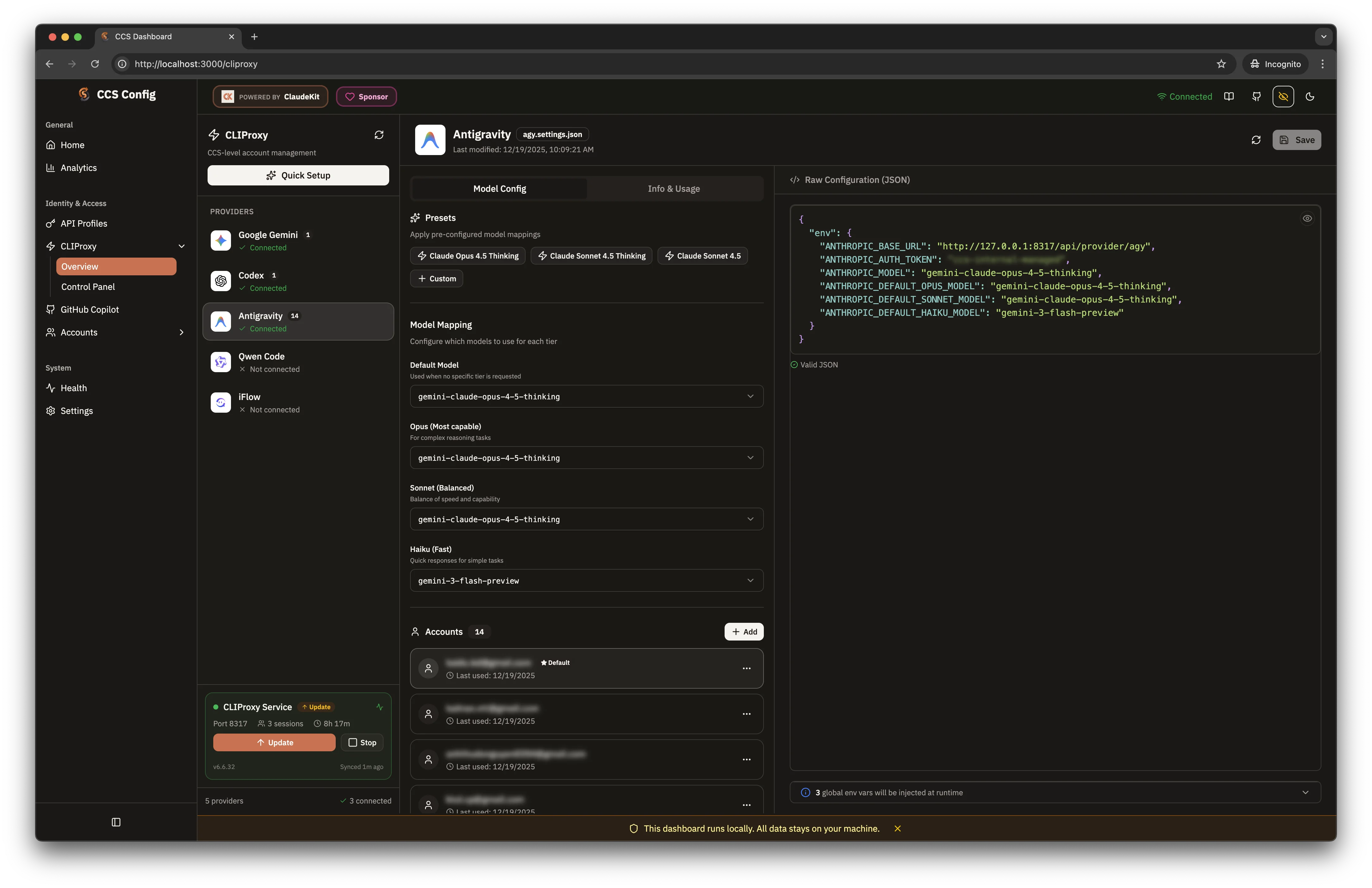
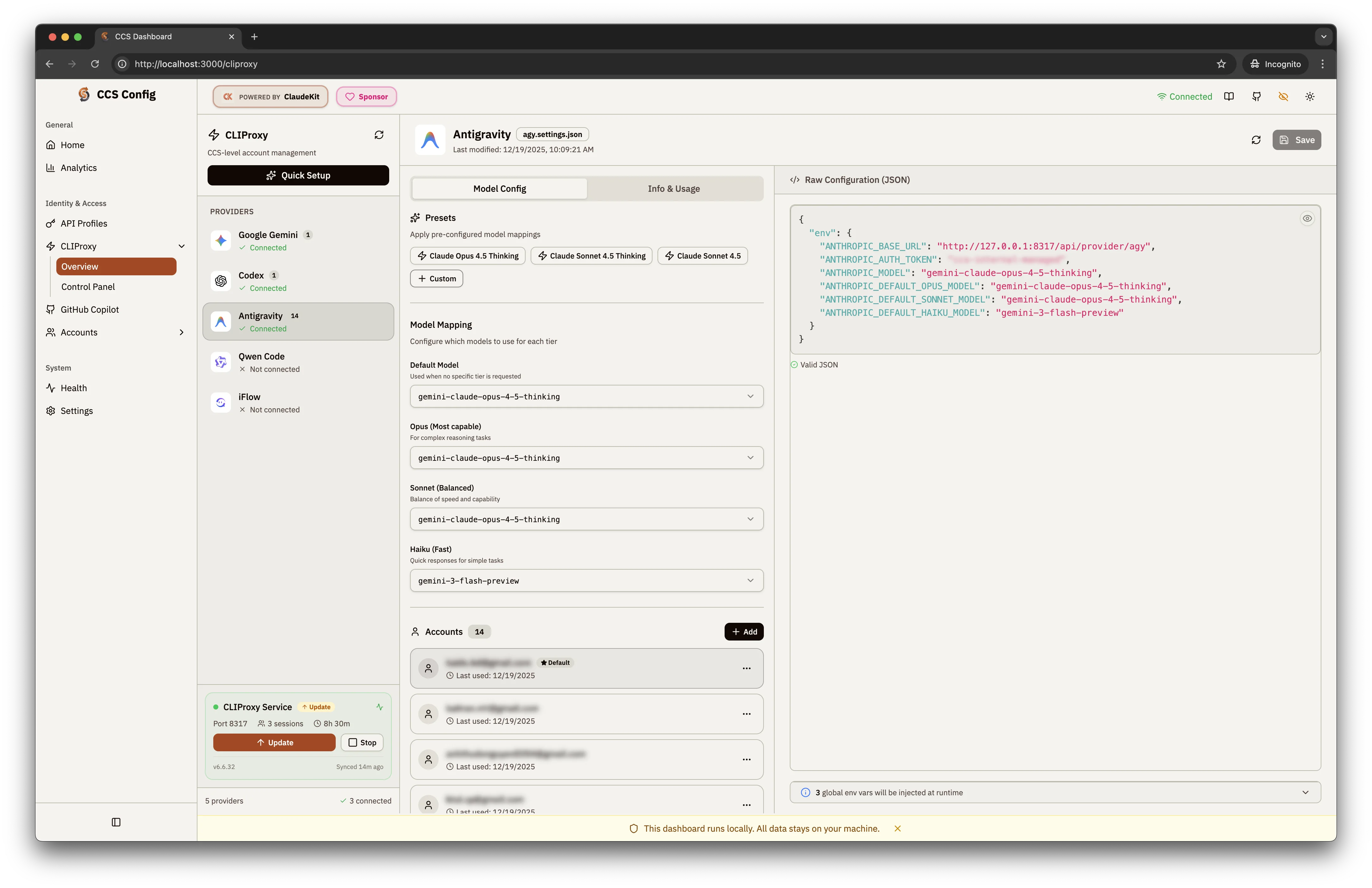
/cliproxy route is the main CCS-owned control surface. It includes:
- a provider rail for authenticated OAuth providers
- a variant list for CCS-managed provider variants
- a proxy status widget and backend label
Add Accountas the primary account connection flowAdvanced Variantfor separate runtime/profile variants- provider editors for accounts, models, targets, and routing
- deep links such as
?provider=claudeand?action=authfor focused flows
Supported OAuth Providers
Quota-Supported Providers
agy · claude · codex · gemini
Deprecated compatibility provider: ghcp
Backend Requirements
CCS registers 15 CLIProxy providers today; 14 support account linking. Qwen is the exception because the bundled runtime does not expose Qwen OAuth account linking. Not every linkable provider works on both backend binaries.originalis the default backend and tracksrouter-for-me/CLIProxyAPIplusdownloads the maintainedkaitranntt/CLIProxyAPIPlusfork and migrates legacy deleted-upstream Plus installs safely to the original backend- The embedded control panel follows the backend:
originaluses upstream CPAMC, whileplususes the maintainedkaitranntt/Cli-Proxy-API-Management-Centerdashboard fork - Works on
originalorplus:agy,claude,codex,gemini,iflow,kimi,xai - Requires
plus:codebuddy,cursor,gitlab, deprecatedghcpcompatibility,kilo,kiro, andqoder
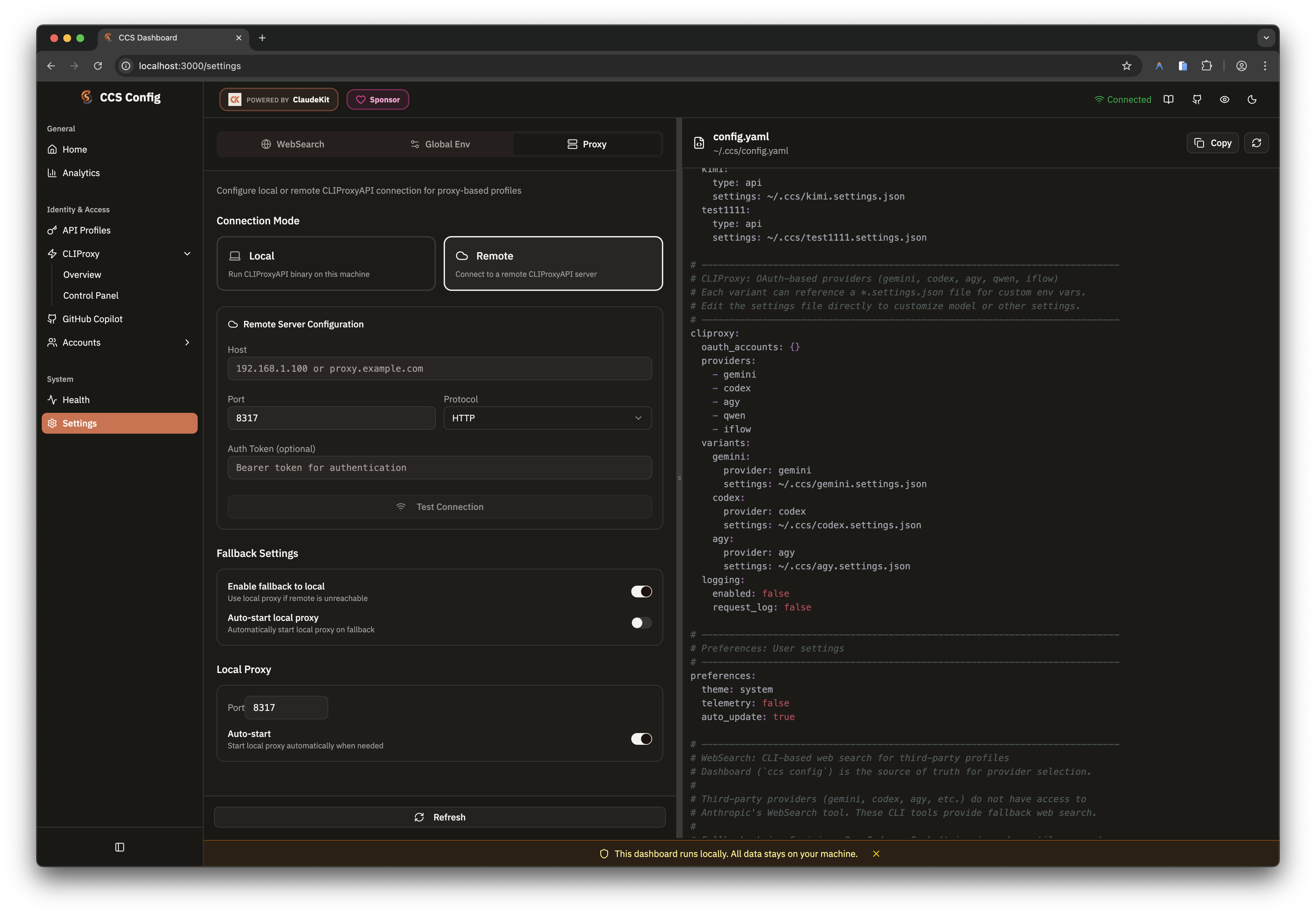
cliproxy.management_panel_repository.
Model Catalogs And Pickers
CCS treats CLIProxy management model definitions as the primary catalog source. The dashboard resolves model metadata in this order:- live CLIProxy management catalog
- cached catalog snapshot
- static CCS fallback catalog
ANTHROPIC_DEFAULT_FABLE_MODEL; leave it empty to keep Claude Code’s native
Fable resolution. A mapped Fable model participates in the existing extended
context control when its catalog entry supports extended context.
The catalog-sync subset is currently 11 providers:
agy · claude · codex · gemini · iflow · kimi · kiro · qoder
· qwen · xai
Deprecated compatibility provider: ghcp
The newer auth-capable providers (cursor, gitlab, codebuddy, kilo) are
still current and supported, but they do not yet participate in the same local
catalog-sync pipeline.
ccs cliproxy --latest
to update the local backend binary, then ccs cliproxy catalog refresh to
refresh dashboard model pickers and the local catalog cache.
Routing Strategy
CCS exposes the proxy-wide routing strategy directly instead of inferring it from account mix.
CCS keeps
round-robin as the default until you change it explicitly.
Request Retry
The routing card also exposes global Auto-retry controls for the request retry count and maximum retry interval. Both values must be non-negative safe integers. The default0 / 0 disables retrying; the interval is measured in
seconds. CLIProxy retries transient 403, 408, 500, 502, 503, and 504
responses, so enable this deliberately: retrying 403 responses can consume
additional quota in multi-account pools.
Local and remote proxy modes apply these controls differently:
- Local: CCS persists
cliproxy.retry, regenerates the local CLIProxy configuration, and attempts to apply the values to the running proxy. If the live update fails, CCS reports a config-only result; the persisted values remain ready for the next proxy start. - Remote: CCS applies the values through the remote CLIProxy management API, which persists them remotely. It does not write these values to the local CCS configuration.
max-retry-credentials:
request-retry repeats a request after transient responses, while
max-retry-credentials caps how many credentials a pool tries for one request.
AI Providers Workspace
/cliproxy/ai-providers is now the dedicated home for non-OAuth upstreams that
still belong to the proxy layer.
Use it for:
- API-key families such as Gemini, Codex, Claude-compatible, and Vertex routes
- named OpenAI-compatible connectors
- advanced route composition with prefixes, proxy overrides, headers, and model aliases
.settings.json.
Control Panel Embed
/cliproxy/control-panel embeds the upstream management center inside the CCS
dashboard shell.
- Local mode reverse-proxies
management.htmlthrough the dashboard server to avoid cross-origin and port issues - Remote mode uses the saved remote proxy config and bootstraps auth into the iframe when a management token is available
management.html
login screen), it asks for a Management Key. The default is ccs. CCS
surfaces the Control Panel URL and a masked login key in ccs cliproxy status
and ccs cliproxy start. Run ccs tokens --show when you intentionally need
to reveal the full key.
Use this page when the upstream management center already exposes the exact
operation you need and CCS has intentionally chosen not to duplicate it.
Target Metadata
Variants on the overview route can carry a CCStarget:
Quick Start
/cliproxy for OAuth-backed providers. Move to
/cliproxy/ai-providers when you need API-key or connector routes. Open
/cliproxy/control-panel when you need the upstream management-center surface.