> ## Documentation Index
> Fetch the complete documentation index at: https://docs.ccs.kaitran.ca/llms.txt
> Use this file to discover all available pages before exploring further.
# OpenRouter Integration
> Access 300+ AI models through OpenRouter's unified API
# OpenRouter Integration
CCS v7.0.0 introduces OpenRouter as a first-class provider. Access 300+ AI models through a unified API with intelligent model selection and tier mapping.
## Overview
 ## Key Features
Access Claude, GPT, Gemini, Llama, and more through one API
Visual model selection with search and filtering in CLI and UI
Automatic opus/sonnet/haiku tier assignment for model routing
Real-time detection of newest models from OpenRouter catalog
## Quick Start
### Via CLI
```bash theme={null}
ccs api create --preset openrouter
```
The CLI launches an interactive model picker:
1. Enter your OpenRouter API key
2. Browse or search available models
3. Select models for each tier (opus, sonnet, haiku)
4. Profile is created and ready to use
### Via Dashboard
```bash theme={null}
ccs config
```
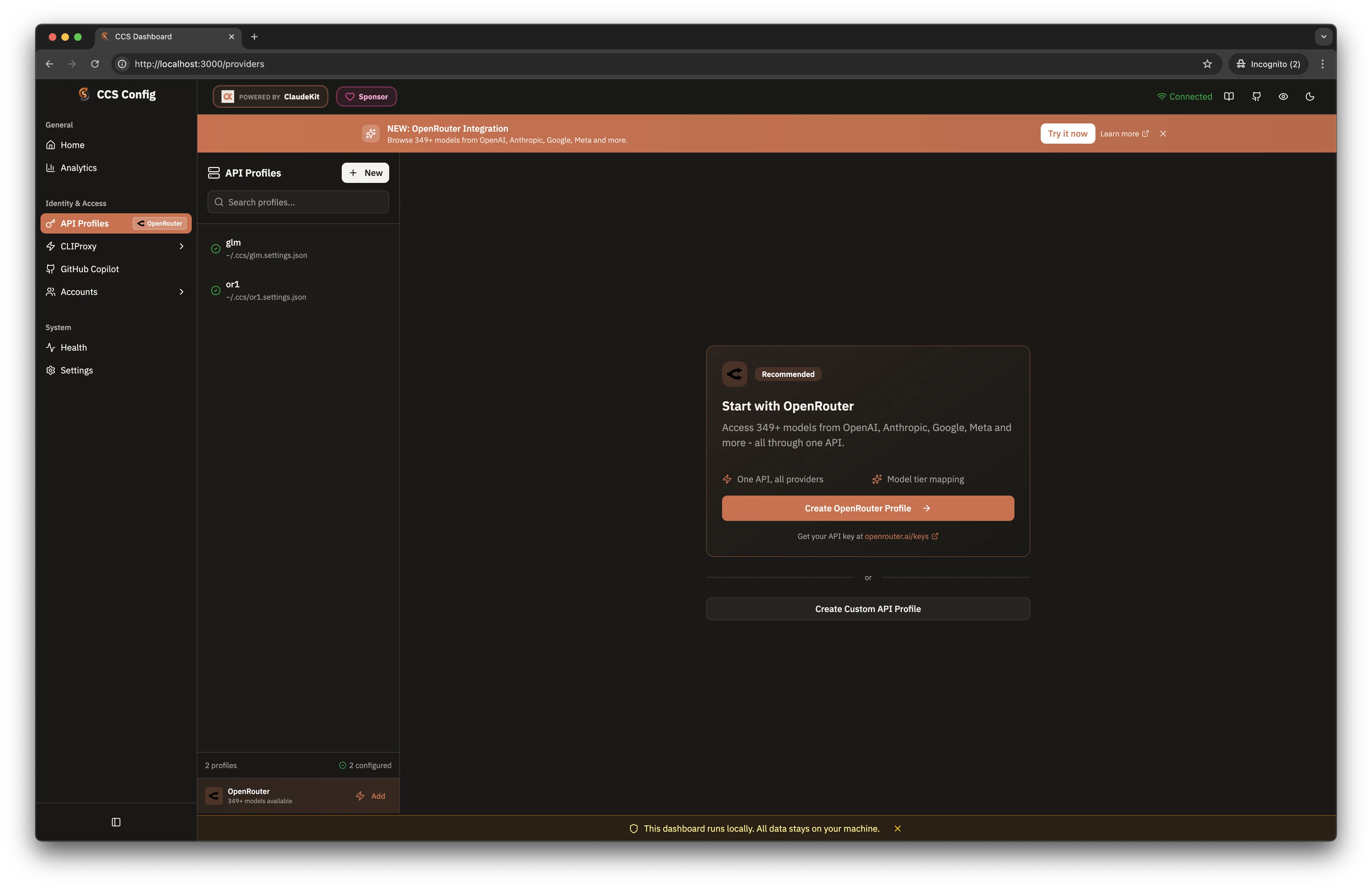
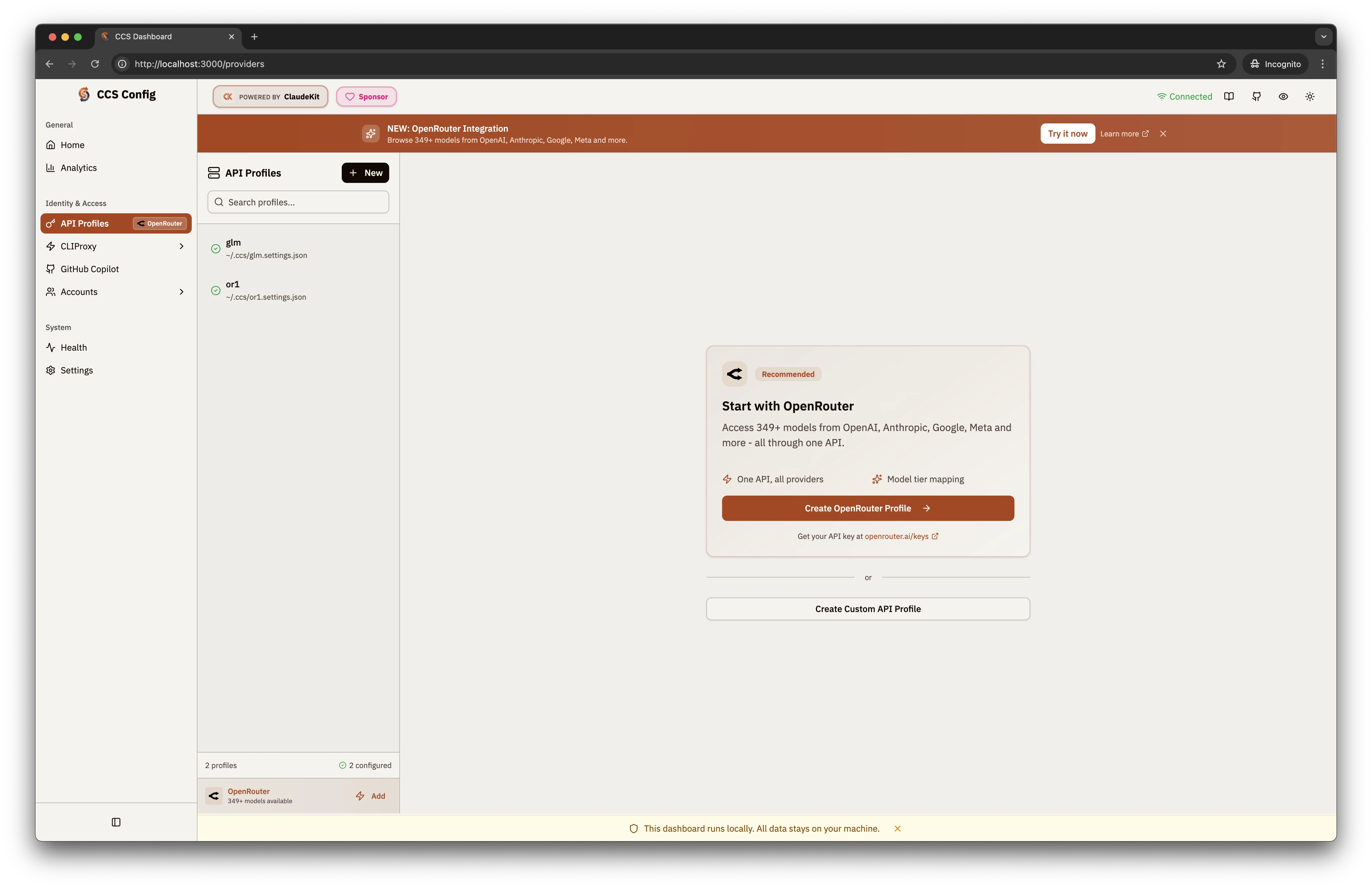
Click "API Profiles" in the sidebar (note the OpenRouter badge).
Click "Create Profile" and select "OpenRouter" from Provider Presets.
Use the model picker to select models for each tier.
## Model Tier Mapping
CCS maps OpenRouter models to Claude Code's tier system for intelligent model routing:
| Tier | Purpose | Recommended Models |
| ---------- | ------------------------------- | ----------------------------- |
| **Opus** | Complex reasoning, architecture | Claude 3.5 Opus, GPT-4o |
| **Sonnet** | General coding, balanced | Claude 3.5 Sonnet, Gemini Pro |
| **Haiku** | Quick tasks, cost-efficient | Claude 3 Haiku, GPT-4o-mini |
### Exacto Models
CCS prioritizes **Exacto-tuned models** for agentic performance. These models are optimized for:
* Tool calling accuracy
* Code generation quality
* Instruction following
Look for models tagged with "Exacto" in the picker for best results with Claude Code workflows.
## Configuration
### Profile Structure
OpenRouter profiles use the standard CCS settings format:
```json theme={null}
{
"env": {
"ANTHROPIC_BASE_URL": "https://openrouter.ai/api",
"ANTHROPIC_AUTH_TOKEN": "sk-or-v1-xxxxx",
"ANTHROPIC_MODEL": "anthropic/claude-3.5-sonnet",
"ANTHROPIC_DEFAULT_OPUS_MODEL": "anthropic/claude-3-opus",
"ANTHROPIC_DEFAULT_HAIKU_MODEL": "anthropic/claude-3-haiku"
}
}
```
### Environment Variables
| Variable | Description |
| ------------------------------- | ----------------------------------- |
| `ANTHROPIC_BASE_URL` | Must be `https://openrouter.ai/api` |
| `ANTHROPIC_AUTH_TOKEN` | Your OpenRouter API key |
| `ANTHROPIC_MODEL` | Default model (sonnet tier) |
| `ANTHROPIC_DEFAULT_OPUS_MODEL` | Model for opus tier |
| `ANTHROPIC_DEFAULT_HAIKU_MODEL` | Model for haiku tier |
## Usage
```bash theme={null}
# Use OpenRouter profile
ccs openrouter "implement the authentication service"
# Parallel workflows
ccs openrouter "design the system" # Terminal 1: Architecture
ccs glm "implement the service" # Terminal 2: Bulk coding
```
## Model Selection Tips
* **anthropic/claude-3.5-sonnet** - Excellent tool use
* **openai/gpt-4o** - Strong reasoning
* Models with "Exacto" tag - Optimized for agents
* **anthropic/claude-3-haiku** - Fast and cheap
* **openai/gpt-4o-mini** - Good balance
* **meta-llama/llama-3.1-8b-instruct** - Open source
* **anthropic/claude-3.5-sonnet** - 200K context
* **google/gemini-pro-1.5** - 1M context
* **anthropic/claude-3-opus** - 200K context
## Troubleshooting
Verify your key at [openrouter.ai/keys](https://openrouter.ai/keys):
```bash theme={null}
curl -H "Authorization: Bearer sk-or-v1-xxxxx" \
https://openrouter.ai/api/v1/models
```
Some models require credits or have access restrictions. Check model availability on the OpenRouter dashboard.
OpenRouter has per-model rate limits. Switch models or upgrade your plan if hitting limits.
Get your API key at [openrouter.ai/keys](https://openrouter.ai/keys). New accounts receive free credits to get started.
## Key Features
Access Claude, GPT, Gemini, Llama, and more through one API
Visual model selection with search and filtering in CLI and UI
Automatic opus/sonnet/haiku tier assignment for model routing
Real-time detection of newest models from OpenRouter catalog
## Quick Start
### Via CLI
```bash theme={null}
ccs api create --preset openrouter
```
The CLI launches an interactive model picker:
1. Enter your OpenRouter API key
2. Browse or search available models
3. Select models for each tier (opus, sonnet, haiku)
4. Profile is created and ready to use
### Via Dashboard
```bash theme={null}
ccs config
```
Click "API Profiles" in the sidebar (note the OpenRouter badge).
Click "Create Profile" and select "OpenRouter" from Provider Presets.
Use the model picker to select models for each tier.
## Model Tier Mapping
CCS maps OpenRouter models to Claude Code's tier system for intelligent model routing:
| Tier | Purpose | Recommended Models |
| ---------- | ------------------------------- | ----------------------------- |
| **Opus** | Complex reasoning, architecture | Claude 3.5 Opus, GPT-4o |
| **Sonnet** | General coding, balanced | Claude 3.5 Sonnet, Gemini Pro |
| **Haiku** | Quick tasks, cost-efficient | Claude 3 Haiku, GPT-4o-mini |
### Exacto Models
CCS prioritizes **Exacto-tuned models** for agentic performance. These models are optimized for:
* Tool calling accuracy
* Code generation quality
* Instruction following
Look for models tagged with "Exacto" in the picker for best results with Claude Code workflows.
## Configuration
### Profile Structure
OpenRouter profiles use the standard CCS settings format:
```json theme={null}
{
"env": {
"ANTHROPIC_BASE_URL": "https://openrouter.ai/api",
"ANTHROPIC_AUTH_TOKEN": "sk-or-v1-xxxxx",
"ANTHROPIC_MODEL": "anthropic/claude-3.5-sonnet",
"ANTHROPIC_DEFAULT_OPUS_MODEL": "anthropic/claude-3-opus",
"ANTHROPIC_DEFAULT_HAIKU_MODEL": "anthropic/claude-3-haiku"
}
}
```
### Environment Variables
| Variable | Description |
| ------------------------------- | ----------------------------------- |
| `ANTHROPIC_BASE_URL` | Must be `https://openrouter.ai/api` |
| `ANTHROPIC_AUTH_TOKEN` | Your OpenRouter API key |
| `ANTHROPIC_MODEL` | Default model (sonnet tier) |
| `ANTHROPIC_DEFAULT_OPUS_MODEL` | Model for opus tier |
| `ANTHROPIC_DEFAULT_HAIKU_MODEL` | Model for haiku tier |
## Usage
```bash theme={null}
# Use OpenRouter profile
ccs openrouter "implement the authentication service"
# Parallel workflows
ccs openrouter "design the system" # Terminal 1: Architecture
ccs glm "implement the service" # Terminal 2: Bulk coding
```
## Model Selection Tips
* **anthropic/claude-3.5-sonnet** - Excellent tool use
* **openai/gpt-4o** - Strong reasoning
* Models with "Exacto" tag - Optimized for agents
* **anthropic/claude-3-haiku** - Fast and cheap
* **openai/gpt-4o-mini** - Good balance
* **meta-llama/llama-3.1-8b-instruct** - Open source
* **anthropic/claude-3.5-sonnet** - 200K context
* **google/gemini-pro-1.5** - 1M context
* **anthropic/claude-3-opus** - 200K context
## Troubleshooting
Verify your key at [openrouter.ai/keys](https://openrouter.ai/keys):
```bash theme={null}
curl -H "Authorization: Bearer sk-or-v1-xxxxx" \
https://openrouter.ai/api/v1/models
```
Some models require credits or have access restrictions. Check model availability on the OpenRouter dashboard.
OpenRouter has per-model rate limits. Switch models or upgrade your plan if hitting limits.
Get your API key at [openrouter.ai/keys](https://openrouter.ai/keys). New accounts receive free credits to get started.