> ## Documentation Index
> Fetch the complete documentation index at: https://docs.ccs.kaitran.ca/llms.txt
> Use this file to discover all available pages before exploring further.
# CLIProxy API
> The routed CLIProxy workspace for OAuth providers, variants, routing, and upstream management
# CLIProxy API Integration
CCS uses [CLIProxyAPI](https://github.com/router-for-me/CLIProxyAPI) by
default, with an opt-in
[CLIProxyAPIPlus community fork](https://github.com/kaitranntt/CLIProxyAPIPlus)
for plus-only providers. In the current CCS UI, that capability is split
across **three routes**, not one generic page.
## Current Surface Map
| Route | What lives there | Use it when |
| ------------------------- | ------------------------ | ---------------------------------------------------------------------- |
| `/cliproxy` | OAuth overview workspace | provider status, accounts, advanced variants, routing, account actions |
| `/cliproxy/ai-providers` | AI Providers workspace | API-key and connector routes that belong inside CLIProxy |
| `/cliproxy/control-panel` | embedded control panel | upstream management-center features that CCS does not re-skin |
## OAuth Overview Workspace
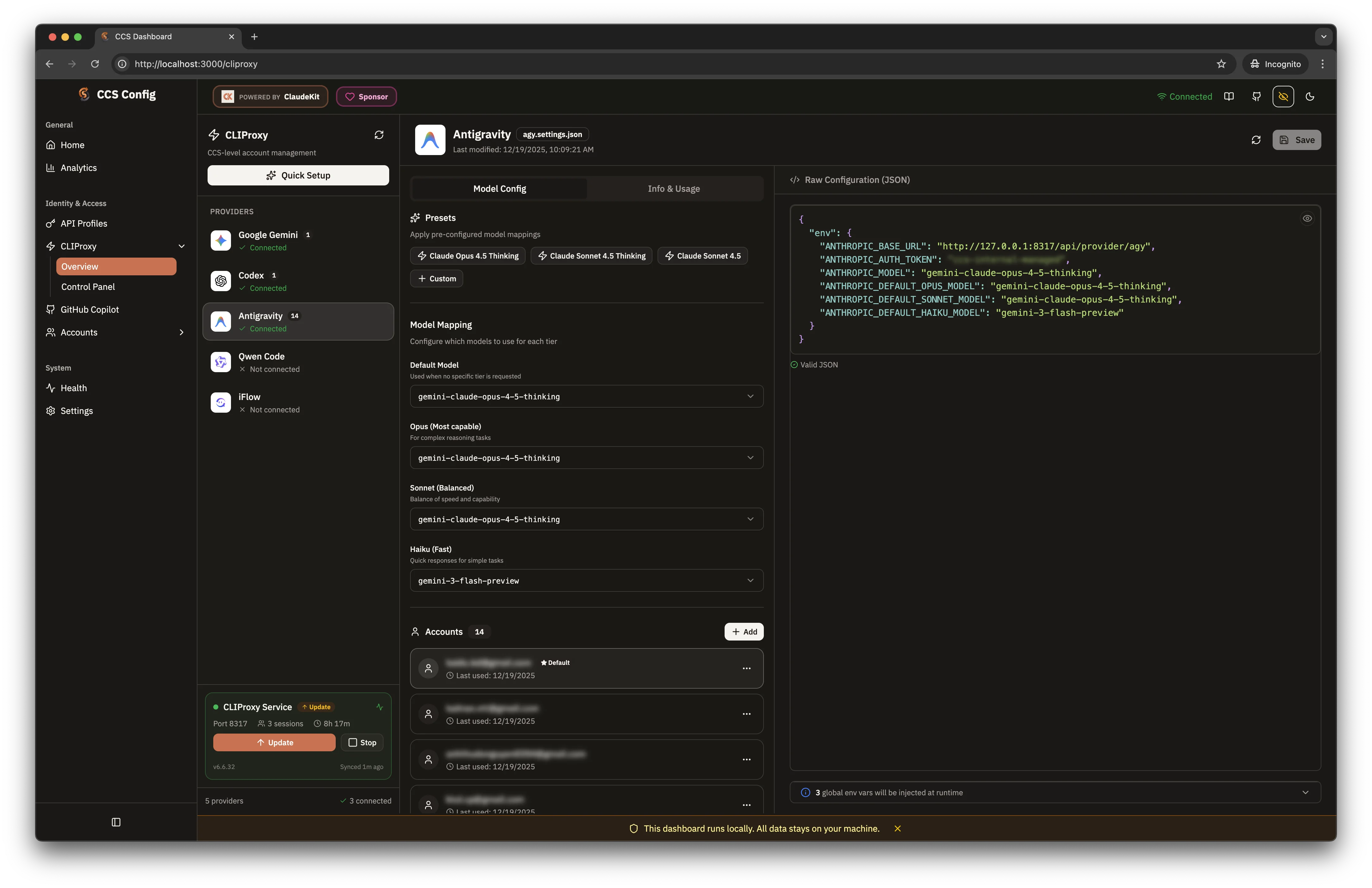
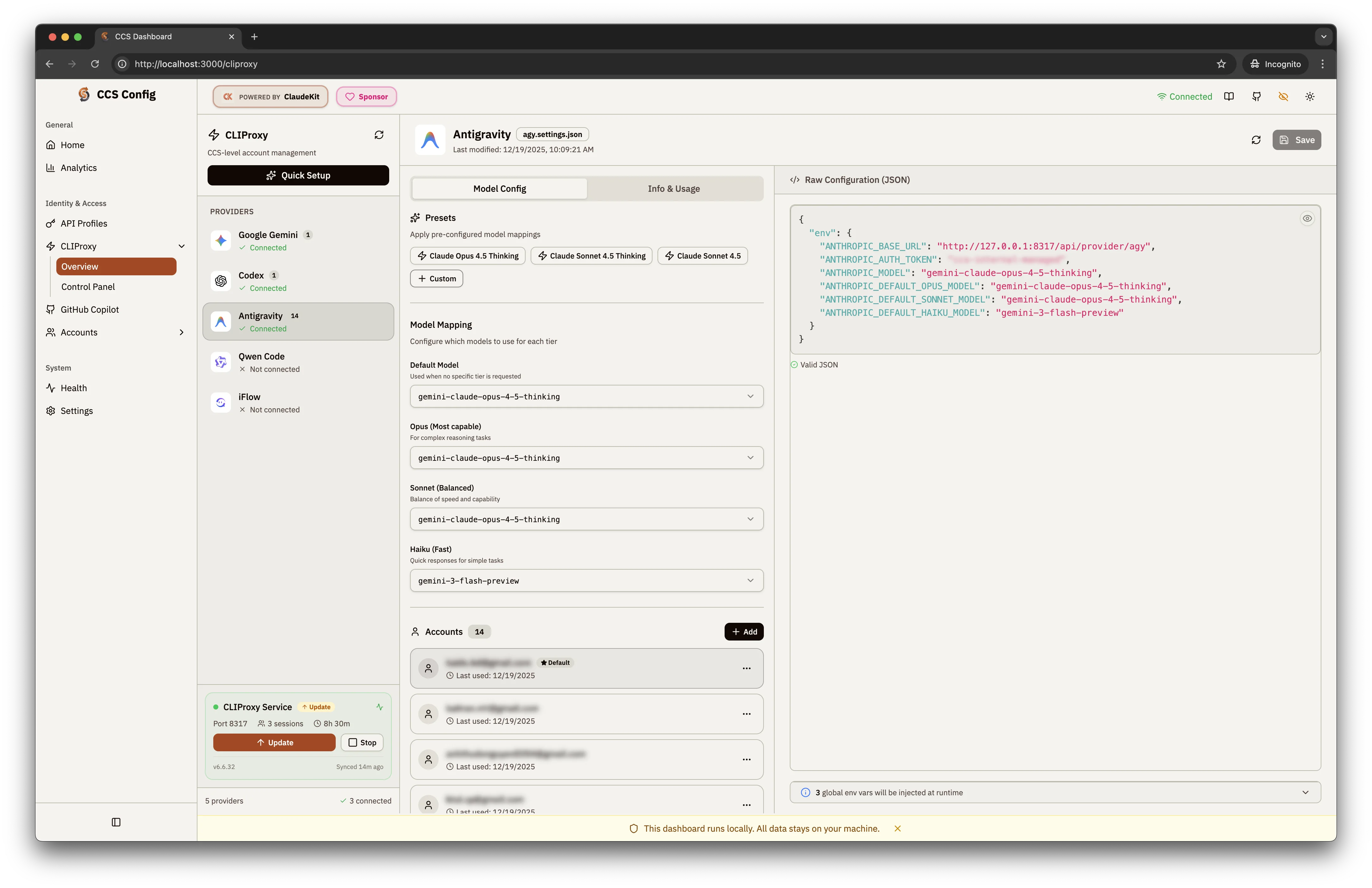 The `/cliproxy` route is the main CCS-owned control surface. It includes:
* a provider rail for authenticated OAuth providers
* a variant list for CCS-managed provider variants
* a proxy status widget and backend label
* `Add Account` as the primary account connection flow
* `Advanced Variant` for separate runtime/profile variants
* provider editors for accounts, models, targets, and routing
* deep links such as `?provider=claude` and `?action=auth` for focused flows
## Supported OAuth Providers
| Provider | Status | Notes |
| --------------------------- | ----------- | ------------------------------------------------ |
| Claude | OAuth | Anthropic Claude with quota support |
| Gemini | OAuth | Google Gemini via OAuth |
| Codex | OAuth | OpenAI Codex routing |
| Antigravity | OAuth | multi-account routing |
| GitHub Copilot (deprecated) | OAuth | Compatibility account routing with quota support |
| Kiro | OAuth | AWS Builder ID / IDC-driven Kiro access |
| iFlow | OAuth | alternative AI routing |
| Kimi | OAuth | Moonshot Kimi OAuth-backed routing |
| Cursor | OAuth | browser-driven polling flow via CLIProxy |
| GitLab Duo | OAuth / PAT | browser OAuth or PAT login on the same shortcut |
| CodeBuddy | OAuth | browser-driven polling flow via CLIProxy |
| Kilo AI | OAuth | device-code flow through CLIProxy |
### Quota-Supported Providers
`agy` · `claude` · `codex` · `gemini`
Deprecated compatibility provider: `ghcp`
### Backend Requirements
CCS can authenticate **13 CLIProxy providers** today, but not all of them work
on both backend binaries.
* `original` is the default backend and tracks `router-for-me/CLIProxyAPI`
* `plus` downloads the maintained `kaitranntt/CLIProxyAPIPlus` fork and
migrates legacy deleted-upstream Plus installs safely to the original backend
* The embedded control panel follows the backend: `original` uses upstream
CPAMC, while `plus` uses the maintained
`kaitranntt/Cli-Proxy-API-Management-Center` dashboard fork
* Works on `original` or `plus`: `agy`, `claude`, `codex`, `gemini`, `iflow`,
`kimi`
* Requires `plus`: `kiro`, `cursor`, `gitlab`, `codebuddy`, `kilo`, and deprecated `ghcp` compatibility
The `/cliproxy` route is the main CCS-owned control surface. It includes:
* a provider rail for authenticated OAuth providers
* a variant list for CCS-managed provider variants
* a proxy status widget and backend label
* `Add Account` as the primary account connection flow
* `Advanced Variant` for separate runtime/profile variants
* provider editors for accounts, models, targets, and routing
* deep links such as `?provider=claude` and `?action=auth` for focused flows
## Supported OAuth Providers
| Provider | Status | Notes |
| --------------------------- | ----------- | ------------------------------------------------ |
| Claude | OAuth | Anthropic Claude with quota support |
| Gemini | OAuth | Google Gemini via OAuth |
| Codex | OAuth | OpenAI Codex routing |
| Antigravity | OAuth | multi-account routing |
| GitHub Copilot (deprecated) | OAuth | Compatibility account routing with quota support |
| Kiro | OAuth | AWS Builder ID / IDC-driven Kiro access |
| iFlow | OAuth | alternative AI routing |
| Kimi | OAuth | Moonshot Kimi OAuth-backed routing |
| Cursor | OAuth | browser-driven polling flow via CLIProxy |
| GitLab Duo | OAuth / PAT | browser OAuth or PAT login on the same shortcut |
| CodeBuddy | OAuth | browser-driven polling flow via CLIProxy |
| Kilo AI | OAuth | device-code flow through CLIProxy |
### Quota-Supported Providers
`agy` · `claude` · `codex` · `gemini`
Deprecated compatibility provider: `ghcp`
### Backend Requirements
CCS can authenticate **13 CLIProxy providers** today, but not all of them work
on both backend binaries.
* `original` is the default backend and tracks `router-for-me/CLIProxyAPI`
* `plus` downloads the maintained `kaitranntt/CLIProxyAPIPlus` fork and
migrates legacy deleted-upstream Plus installs safely to the original backend
* The embedded control panel follows the backend: `original` uses upstream
CPAMC, while `plus` uses the maintained
`kaitranntt/Cli-Proxy-API-Management-Center` dashboard fork
* Works on `original` or `plus`: `agy`, `claude`, `codex`, `gemini`, `iflow`,
`kimi`
* Requires `plus`: `kiro`, `cursor`, `gitlab`, `codebuddy`, `kilo`, and deprecated `ghcp` compatibility
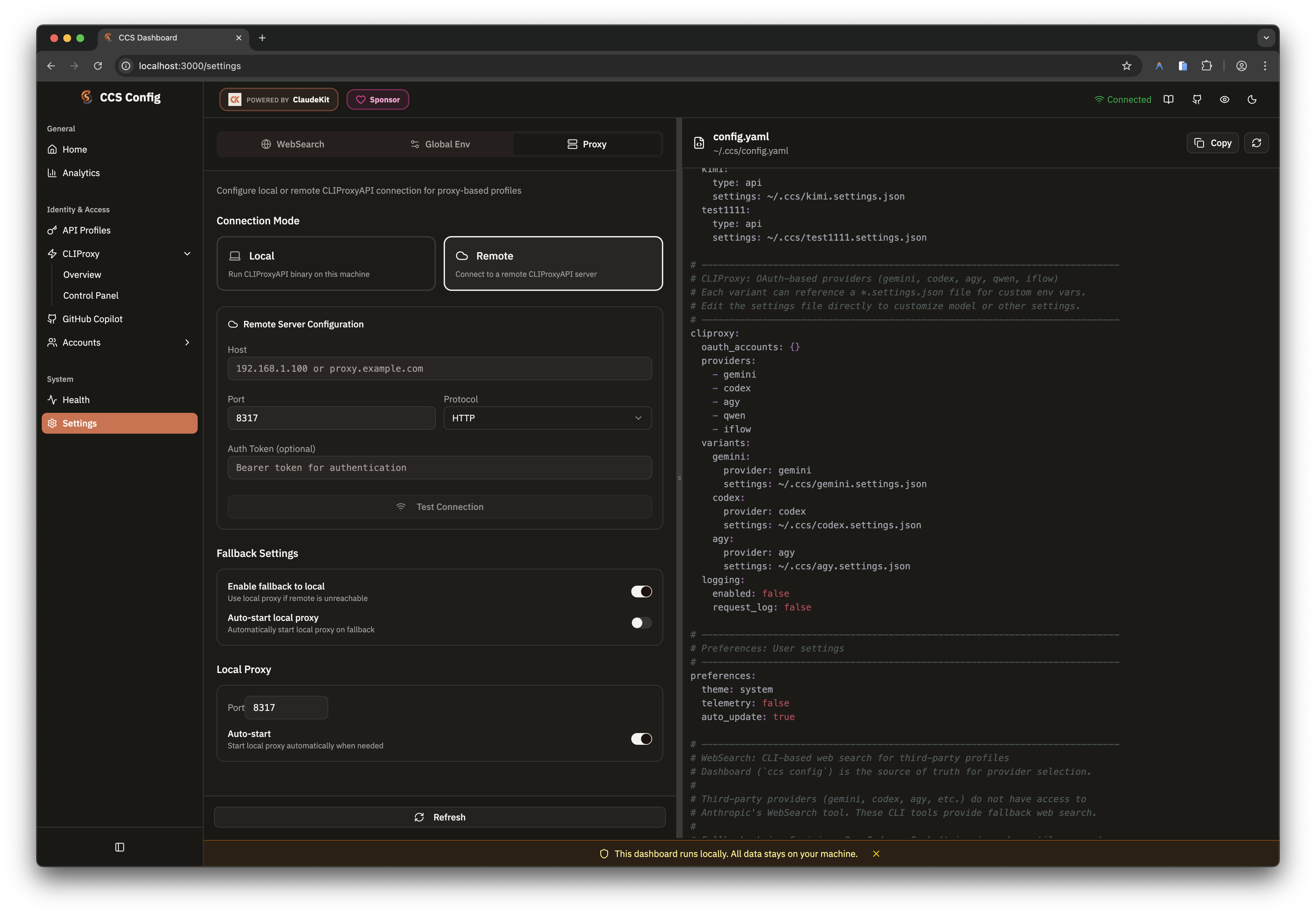 The same backend choice is reflected in the dashboard proxy settings. Keep
fallback enabled when you need remote proxy convenience without making local
launches depend on a single unavailable upstream. Advanced users can override
the generated CPAMC source with `cliproxy.management_panel_repository`.
## Model Catalogs And Pickers
CCS treats CLIProxy management model definitions as the primary catalog source.
The dashboard resolves model metadata in this order:
1. live CLIProxy management catalog
2. cached catalog snapshot
3. static CCS fallback catalog
That keeps the overview workspace usable even when the proxy is briefly
unavailable.
The **catalog-sync subset is currently 8 providers**:
`agy` · `claude` · `codex` · `gemini` · `iflow` · `kimi` · `kiro`
Deprecated compatibility provider: `ghcp`
The newer auth-capable providers (`cursor`, `gitlab`, `codebuddy`, `kilo`) are
still current and supported, but they do not yet participate in the same local
static catalog-sync pipeline.
```bash theme={null}
ccs cliproxy catalog
ccs cliproxy catalog refresh
ccs cliproxy catalog reset
```
After a CLIProxyAPI or CLIProxyAPIPlus release, run `ccs cliproxy --latest`
to update the local backend binary, then `ccs cliproxy catalog refresh` to
refresh dashboard model pickers and static fallback metadata.
## Routing Strategy
CCS exposes the proxy-wide routing strategy directly instead of inferring it
from account mix.
| Strategy | Behavior | Good fit |
| ------------- | ------------------------------------------------- | --------------------------------------- |
| `round-robin` | spread requests across matching healthy accounts | even usage and predictable distribution |
| `fill-first` | drain one healthy account before touching backups | keep backup accounts cold until needed |
CCS keeps `round-robin` as the default until you change it explicitly.
```bash theme={null}
ccs cliproxy routing
ccs cliproxy routing explain
ccs cliproxy routing set fill-first
ccs cliproxy routing set round-robin
```
## AI Providers Workspace
`/cliproxy/ai-providers` is now the dedicated home for non-OAuth upstreams that
still belong to the proxy layer.
Use it for:
* API-key families such as Gemini, Codex, Claude-compatible, and Vertex routes
* named OpenAI-compatible connectors
* advanced route composition with prefixes, proxy overrides, headers, and model aliases
Use [API Profiles](/providers/concepts/api-profiles) instead when you want a
CCS-native profile with its own `.settings.json`.
## Control Panel Embed
`/cliproxy/control-panel` embeds the upstream management center inside the CCS
dashboard shell.
* **Local mode** reverse-proxies `management.html` through the dashboard server to avoid cross-origin and port issues
* **Remote mode** uses the saved remote proxy config and bootstraps auth into the iframe when a management token is available
When you open the upstream management center directly (its `management.html`
login screen), it asks for a **Management Key**. The default is `ccs`. CCS
surfaces the active key (your `management_secret` if set, otherwise `ccs`) in
`ccs cliproxy status` and `ccs cliproxy start`, next to the Control Panel URL.
Use this page when the upstream management center already exposes the exact
operation you need and CCS has intentionally chosen not to duplicate it.
## Target Metadata
Variants on the overview route can carry a CCS `target`:
| Target | CLI | Meaning |
| -------- | ------------- | -------------------------------------- |
| `claude` | Claude Code | default target |
| `droid` | Factory Droid | alternate runtime for compatible flows |
```bash theme={null}
ccs cliproxy create my-droid --provider gemini --target droid
ccs cliproxy edit my-droid --target droid
```
The target is CCS metadata layered on top of CLIProxy-managed routing.
## Quick Start
```bash theme={null}
ccs config
# Sidebar -> CLIProxy
```
Start on `/cliproxy` for OAuth-backed providers. Move to
`/cliproxy/ai-providers` when you need API-key or connector routes. Open
`/cliproxy/control-panel` when you need the upstream management-center surface.
## Related
* [AI Providers Workspace](/features/proxy/ai-providers)
* [CLIProxy Sync](/features/proxy/cliproxy-sync)
* [Remote Proxy](/features/proxy/remote-proxy)
* [Dashboard Overview](/features/dashboard/overview)
The same backend choice is reflected in the dashboard proxy settings. Keep
fallback enabled when you need remote proxy convenience without making local
launches depend on a single unavailable upstream. Advanced users can override
the generated CPAMC source with `cliproxy.management_panel_repository`.
## Model Catalogs And Pickers
CCS treats CLIProxy management model definitions as the primary catalog source.
The dashboard resolves model metadata in this order:
1. live CLIProxy management catalog
2. cached catalog snapshot
3. static CCS fallback catalog
That keeps the overview workspace usable even when the proxy is briefly
unavailable.
The **catalog-sync subset is currently 8 providers**:
`agy` · `claude` · `codex` · `gemini` · `iflow` · `kimi` · `kiro`
Deprecated compatibility provider: `ghcp`
The newer auth-capable providers (`cursor`, `gitlab`, `codebuddy`, `kilo`) are
still current and supported, but they do not yet participate in the same local
static catalog-sync pipeline.
```bash theme={null}
ccs cliproxy catalog
ccs cliproxy catalog refresh
ccs cliproxy catalog reset
```
After a CLIProxyAPI or CLIProxyAPIPlus release, run `ccs cliproxy --latest`
to update the local backend binary, then `ccs cliproxy catalog refresh` to
refresh dashboard model pickers and static fallback metadata.
## Routing Strategy
CCS exposes the proxy-wide routing strategy directly instead of inferring it
from account mix.
| Strategy | Behavior | Good fit |
| ------------- | ------------------------------------------------- | --------------------------------------- |
| `round-robin` | spread requests across matching healthy accounts | even usage and predictable distribution |
| `fill-first` | drain one healthy account before touching backups | keep backup accounts cold until needed |
CCS keeps `round-robin` as the default until you change it explicitly.
```bash theme={null}
ccs cliproxy routing
ccs cliproxy routing explain
ccs cliproxy routing set fill-first
ccs cliproxy routing set round-robin
```
## AI Providers Workspace
`/cliproxy/ai-providers` is now the dedicated home for non-OAuth upstreams that
still belong to the proxy layer.
Use it for:
* API-key families such as Gemini, Codex, Claude-compatible, and Vertex routes
* named OpenAI-compatible connectors
* advanced route composition with prefixes, proxy overrides, headers, and model aliases
Use [API Profiles](/providers/concepts/api-profiles) instead when you want a
CCS-native profile with its own `.settings.json`.
## Control Panel Embed
`/cliproxy/control-panel` embeds the upstream management center inside the CCS
dashboard shell.
* **Local mode** reverse-proxies `management.html` through the dashboard server to avoid cross-origin and port issues
* **Remote mode** uses the saved remote proxy config and bootstraps auth into the iframe when a management token is available
When you open the upstream management center directly (its `management.html`
login screen), it asks for a **Management Key**. The default is `ccs`. CCS
surfaces the active key (your `management_secret` if set, otherwise `ccs`) in
`ccs cliproxy status` and `ccs cliproxy start`, next to the Control Panel URL.
Use this page when the upstream management center already exposes the exact
operation you need and CCS has intentionally chosen not to duplicate it.
## Target Metadata
Variants on the overview route can carry a CCS `target`:
| Target | CLI | Meaning |
| -------- | ------------- | -------------------------------------- |
| `claude` | Claude Code | default target |
| `droid` | Factory Droid | alternate runtime for compatible flows |
```bash theme={null}
ccs cliproxy create my-droid --provider gemini --target droid
ccs cliproxy edit my-droid --target droid
```
The target is CCS metadata layered on top of CLIProxy-managed routing.
## Quick Start
```bash theme={null}
ccs config
# Sidebar -> CLIProxy
```
Start on `/cliproxy` for OAuth-backed providers. Move to
`/cliproxy/ai-providers` when you need API-key or connector routes. Open
`/cliproxy/control-panel` when you need the upstream management-center surface.
## Related
* [AI Providers Workspace](/features/proxy/ai-providers)
* [CLIProxy Sync](/features/proxy/cliproxy-sync)
* [Remote Proxy](/features/proxy/remote-proxy)
* [Dashboard Overview](/features/dashboard/overview)