> ## Documentation Index
> Fetch the complete documentation index at: https://docs.ccs.kaitran.ca/llms.txt
> Use this file to discover all available pages before exploring further.
# WebSearch
> Web search fallback for third-party providers
# WebSearch Fallback
Third-party profiles cannot use Anthropic's native WebSearch. CCS provides automatic web search via CLI tools with intelligent fallback.
## Overview
CCS intercepts WebSearch requests from Claude Code and routes them through available CLI tools.
 ## How It Works
| Profile Type | WebSearch Method |
| -------------------- | ----------------------- |
| Claude (native) | Anthropic WebSearch API |
| Third-party profiles | CLI Tool Fallback Chain |
## Fallback Chain
CCS tries tools in priority order until one succeeds:
| Priority | Tool | Auth | Install |
| -------- | ---------- | ------------ | ------------------------------------------------ |
| 1st | Gemini CLI | OAuth (free) | `npm install -g @google/gemini-cli` |
| 2nd | OpenCode | OAuth (free) | `curl -fsSL https://opencode.ai/install \| bash` |
| 3rd | Grok CLI | API Key | `npm install -g @vibe-kit/grok-cli` |
## Configuration
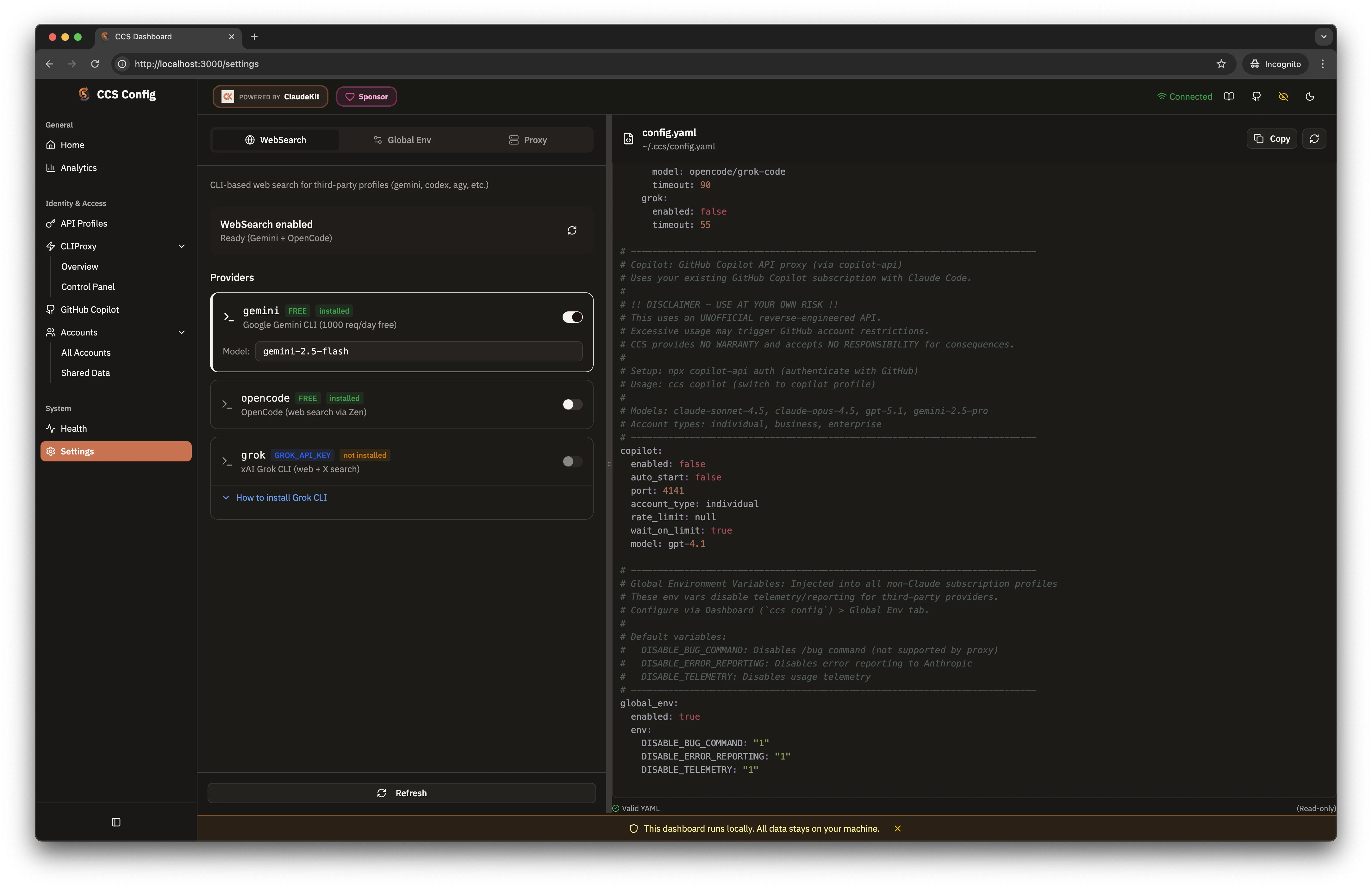
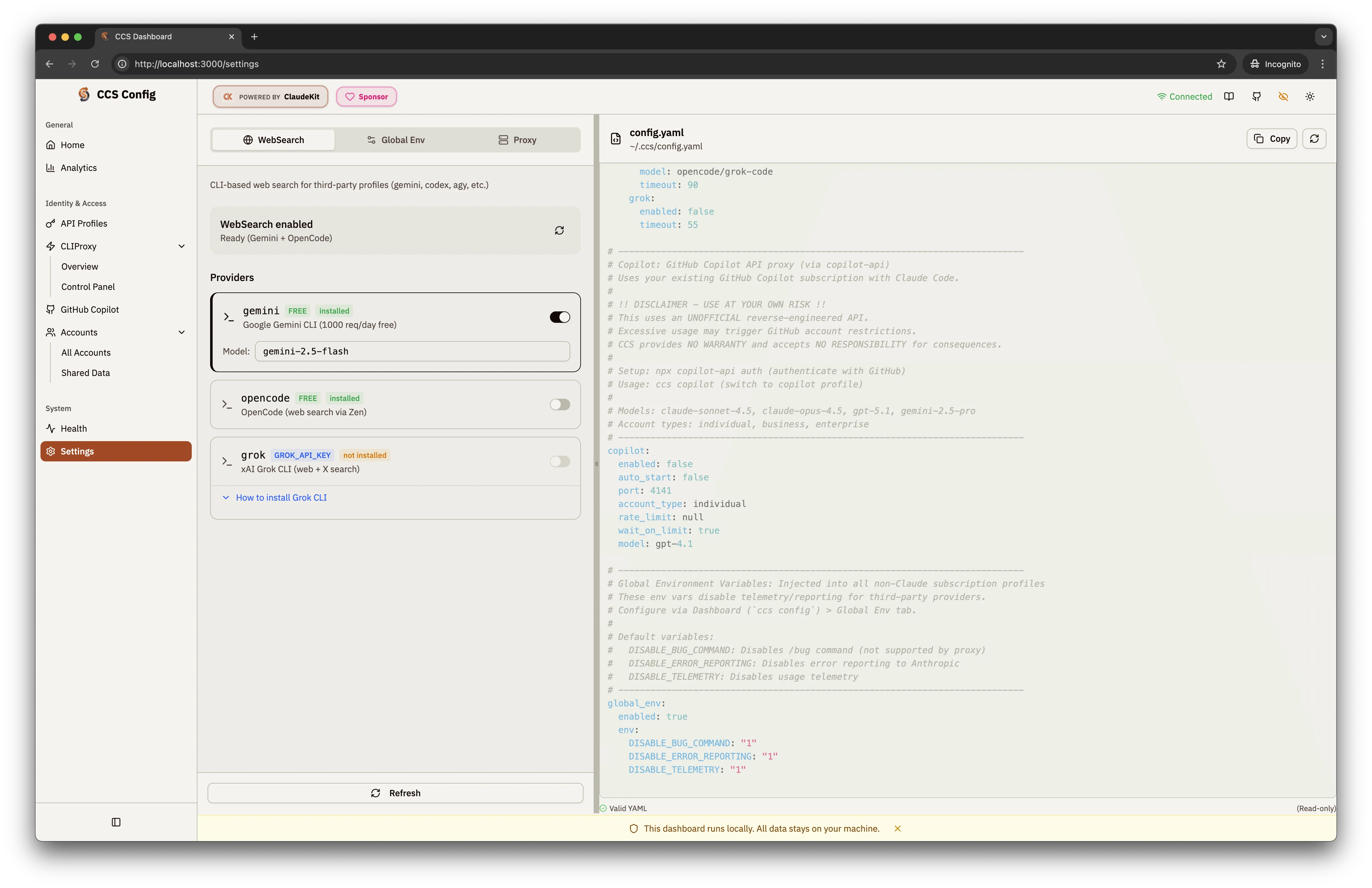
Configure via dashboard (**Settings** page) or `~/.ccs/config.yaml`:
```yaml theme={null}
websearch:
enabled: true # Enable/disable (default: true)
providers:
gemini:
enabled: true # Use Gemini CLI (default: true)
model: gemini-2.5-flash # Model to use
opencode:
enabled: true # Use OpenCode as fallback
grok:
enabled: false # Requires XAI_API_KEY
```
## Setup
```bash theme={null}
npm install -g @google/gemini-cli
```
Run once to complete OAuth:
```bash theme={null}
gemini
```
Check that websearch works:
```bash theme={null}
ccs codex "search for the latest TypeScript features"
```
## Provider Details
* **Auth**: Free Google OAuth
* **Limit**: 1000 requests/day
* **Quality**: Excellent search relevance
* **Setup**: `gemini` to authenticate via browser
* **Auth**: Free OAuth
* **Limit**: Varies
* **Quality**: Good for code-related searches
* **Setup**: Follow installer prompts
* **Auth**: Requires `XAI_API_KEY`
* **Limit**: Based on API plan
* **Quality**: Real-time web access
* **Setup**: Set env var and install
## Troubleshooting
Verify CLI tools are installed:
```bash theme={null}
which gemini opencode grok
```
Re-authenticate the failing tool:
```bash theme={null}
gemini # Opens browser for OAuth
```
Switch to a faster fallback:
```yaml theme={null}
websearch:
providers:
gemini:
model: gemini-2.0-flash-lite
```
**Gemini CLI** is recommended - free OAuth authentication with 1000 requests/day. Just run `gemini` once to authenticate via browser.
## How It Works
| Profile Type | WebSearch Method |
| -------------------- | ----------------------- |
| Claude (native) | Anthropic WebSearch API |
| Third-party profiles | CLI Tool Fallback Chain |
## Fallback Chain
CCS tries tools in priority order until one succeeds:
| Priority | Tool | Auth | Install |
| -------- | ---------- | ------------ | ------------------------------------------------ |
| 1st | Gemini CLI | OAuth (free) | `npm install -g @google/gemini-cli` |
| 2nd | OpenCode | OAuth (free) | `curl -fsSL https://opencode.ai/install \| bash` |
| 3rd | Grok CLI | API Key | `npm install -g @vibe-kit/grok-cli` |
## Configuration
Configure via dashboard (**Settings** page) or `~/.ccs/config.yaml`:
```yaml theme={null}
websearch:
enabled: true # Enable/disable (default: true)
providers:
gemini:
enabled: true # Use Gemini CLI (default: true)
model: gemini-2.5-flash # Model to use
opencode:
enabled: true # Use OpenCode as fallback
grok:
enabled: false # Requires XAI_API_KEY
```
## Setup
```bash theme={null}
npm install -g @google/gemini-cli
```
Run once to complete OAuth:
```bash theme={null}
gemini
```
Check that websearch works:
```bash theme={null}
ccs codex "search for the latest TypeScript features"
```
## Provider Details
* **Auth**: Free Google OAuth
* **Limit**: 1000 requests/day
* **Quality**: Excellent search relevance
* **Setup**: `gemini` to authenticate via browser
* **Auth**: Free OAuth
* **Limit**: Varies
* **Quality**: Good for code-related searches
* **Setup**: Follow installer prompts
* **Auth**: Requires `XAI_API_KEY`
* **Limit**: Based on API plan
* **Quality**: Real-time web access
* **Setup**: Set env var and install
## Troubleshooting
Verify CLI tools are installed:
```bash theme={null}
which gemini opencode grok
```
Re-authenticate the failing tool:
```bash theme={null}
gemini # Opens browser for OAuth
```
Switch to a faster fallback:
```yaml theme={null}
websearch:
providers:
gemini:
model: gemini-2.0-flash-lite
```
**Gemini CLI** is recommended - free OAuth authentication with 1000 requests/day. Just run `gemini` once to authenticate via browser.